Remote Replica
The Remote Replica feature lets you mirror your Fresh Start Desktop onto a separate server, typically in another location. Once configured, any modifications to your machine are quietly and automatically copied in the background, with no further action needed from you.
Remote Replica is an incredibly handy capability that can be applied in several ways. Below, we explore two common use cases.
Note: At present, Remote Replica only works with Fresh Start machines, though it can also be used within DaDesktop for work (DD4W).
First scenario: Create a Remote Replica (a clone) of your desktop on a server located in a separate data center
Think of it as a safety net: you might want to replicate your desktop to a different data center so that if the primary server becomes unreachable for any reason, you can simply switch to the replica and pick up right where you left off.
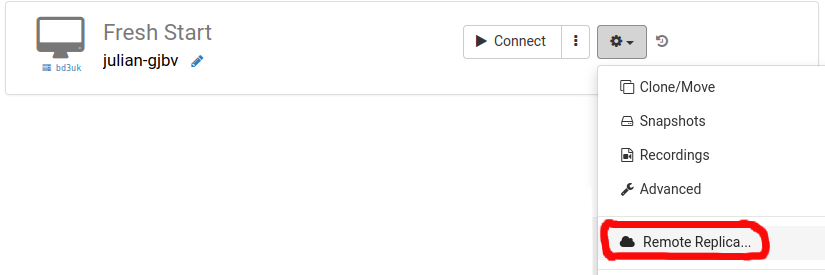
Our example Fresh Start machine starts out on the UK Data Center, such as bd3uk.
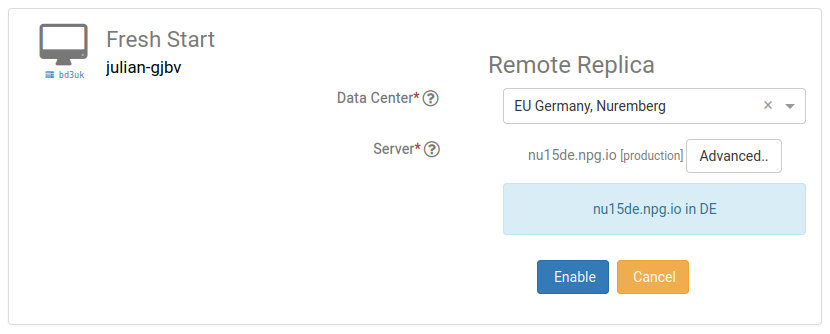
Pick the data center where you want the Remote Replica to reside — usually a different one from your current machine. You could even opt for a data center in another country.
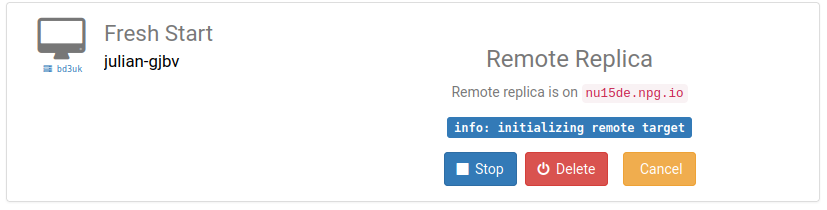
Your Remote Replica desktop is now being built. How long it takes depends on the distance to the replica location and the size of your desktop. Feel free to keep working on your original machine in the meantime.
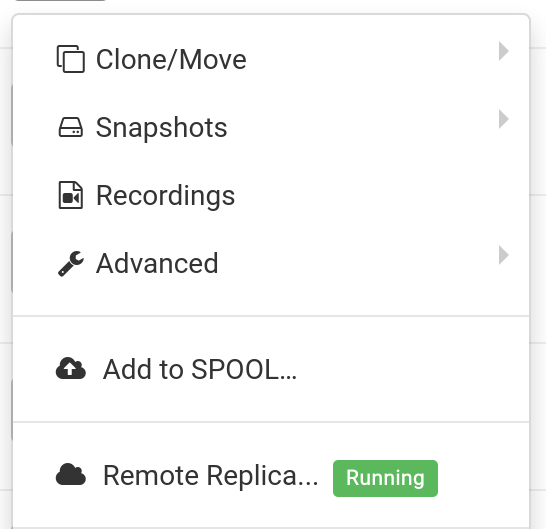
Restoring a Remote Replica
Should you ever lose access to your FreshStart Desktop, you can restore the Remote Replica you've set up.
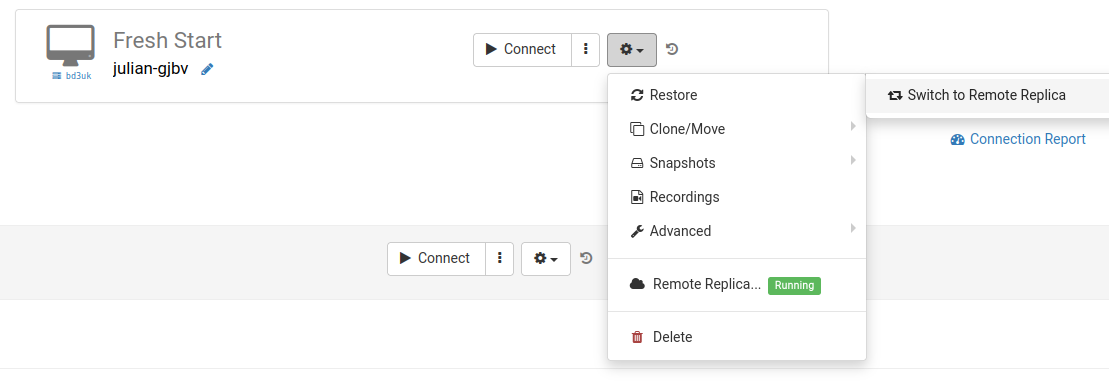
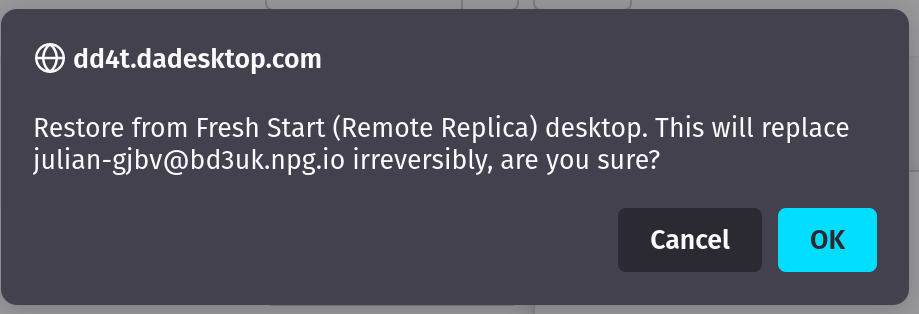
After you start using the Remote Replica, you cannot return to the original desktop. That’s fine, since the replica is an identical copy.
Keep in mind: once you've switched to your Remote Replica desktop, the replica process is stopped. If you need another replica, you'll have to repeat the initial setup steps to create a new one.

Second use case: Place a Replica of FreshStart in a different geographical area to minimize connection lag
Remote Replica shines when you need a copy of your Fresh Start machine located nearer to you while you build course content. For instance, imagine a trainer based in Germany who will deliver a course in South Africa. This is a typical scenario with DaDesktop, since the system makes handling such courses straightforward.
In that situation, you wouldn’t want your course-creation Fresh Start desktop on a South African server, since the connection lag would be excessive. So you set up a Remote Replica of your desktop in Europe, keeping latency low. The replica stays synced with all your changes.
Once you've finished your work on the Fresh Start desktop, restore the Remote Replica onto the trainer machine in South Africa, enabling quick copying to both the trainer and participants.