Overseeing Work Desktops
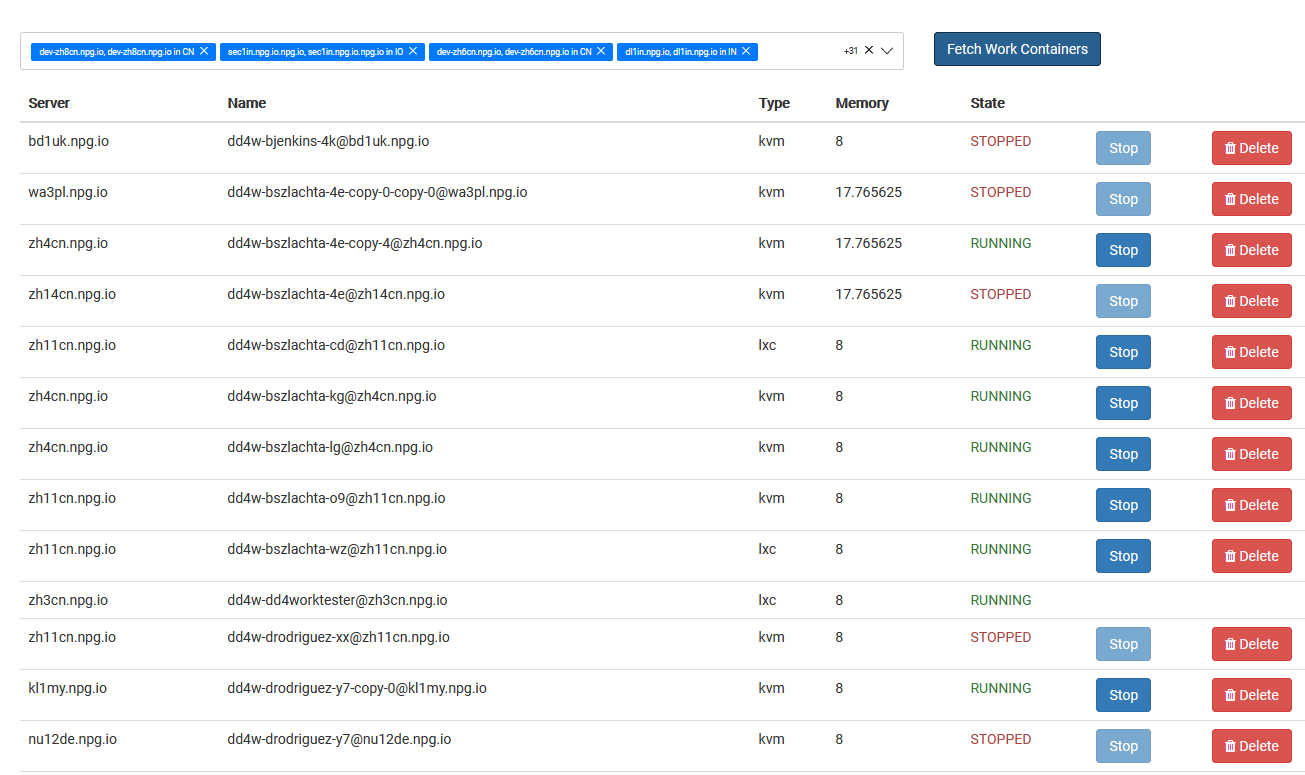
From the Managing Work Desktops page, Super Administrators can view and control every DaDesktop for Work desktop in one convenient spot. These work desktops are built for long-term use and assigned to specific users, guaranteeing secure, uninterrupted access to their individual environment.
Work Desktop List
The full list of work desktops appears alongside their current status and essential details. This enables administrators to instantly spot a desktop, check its availability, and step in when necessary.
Available Actions
Based on a desktop’s condition, administrators can perform management tasks directly from the interface. These capabilities support work desktop upkeep throughout their entire lifecycle while ensuring users retain continuous access to their assigned spaces.
Administration
Overseeing Work Desktops delivers a unified console for supervising work desktop resources. It streamlines administration by letting Super Administrators monitor and manage user work desktops from a single point, without disrupting other desktop types used for training or standalone scenarios.