Setting Up Your Desktop as a Chrome Application
When you open your desktop inside a browser tab, a frequent headache is that shortcut keys (like ctr+w or ctr+F4) get intercepted by the browser itself, never reaching your app.
A handy workaround is to turn it into a standalone application using Chrome (or any Chromium-based browser).
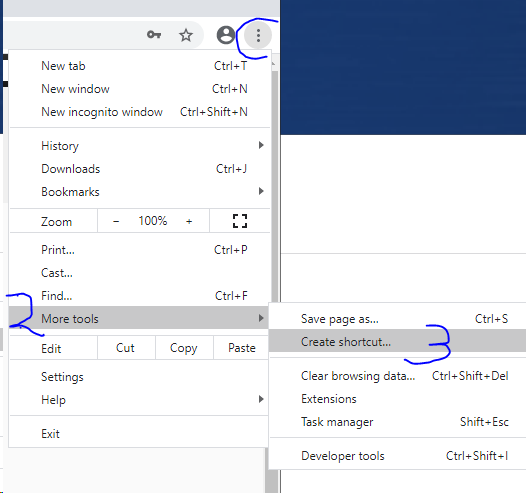
1. Go to More Tools and choose Create shortcut… on your computer's desktop.
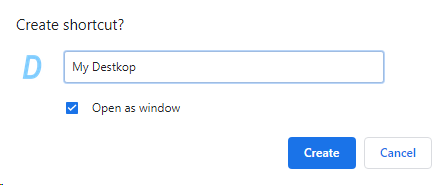
2. While setting up the shortcut, make sure you select “Open as window.”
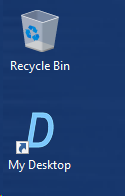
3. Launch your app by double‑clicking the shortcut that now sits on your Desktop.
4. Enjoy using your application — all the key shortcuts will work just as you expect.